Cherry Studio
Connect Cherry Studio to the LMU AI API and set up Claude, Chinese, and OpenAI model channels, with a direct connection on domestic networks.
Cherry Studio is a multi-model AI desktop client.
Download and install
- Desktop official site: https://www.cherry-ai.com/
- Mobile (Android & iOS): https://github.com/CherryHQ/cherry-studio-app/releases
- Android: download the
.apkfile - iOS: download the
.ipafile
- Android: download the
The mobile install process is much like the desktop one — take a closer look and you'll find it.
The two protocols
LMU AI supports two connection protocols; choose one based on the model type:
| Protocol | Models |
|---|---|
| Anthropic | Claude models, Chinese models (DeepSeek, Qwen, etc.) |
| OpenAI-Response | OpenAI models (GPT-4, GPT-5, etc.) |
Method 1: Anthropic protocol (Claude and Chinese models)
Step 1 — Add a provider
Go to Cherry Studio Settings → click Add Provider:
- Provider name: anything you like (e.g.
LMU AI) - Provider type: select
Anthropicfrom the dropdown
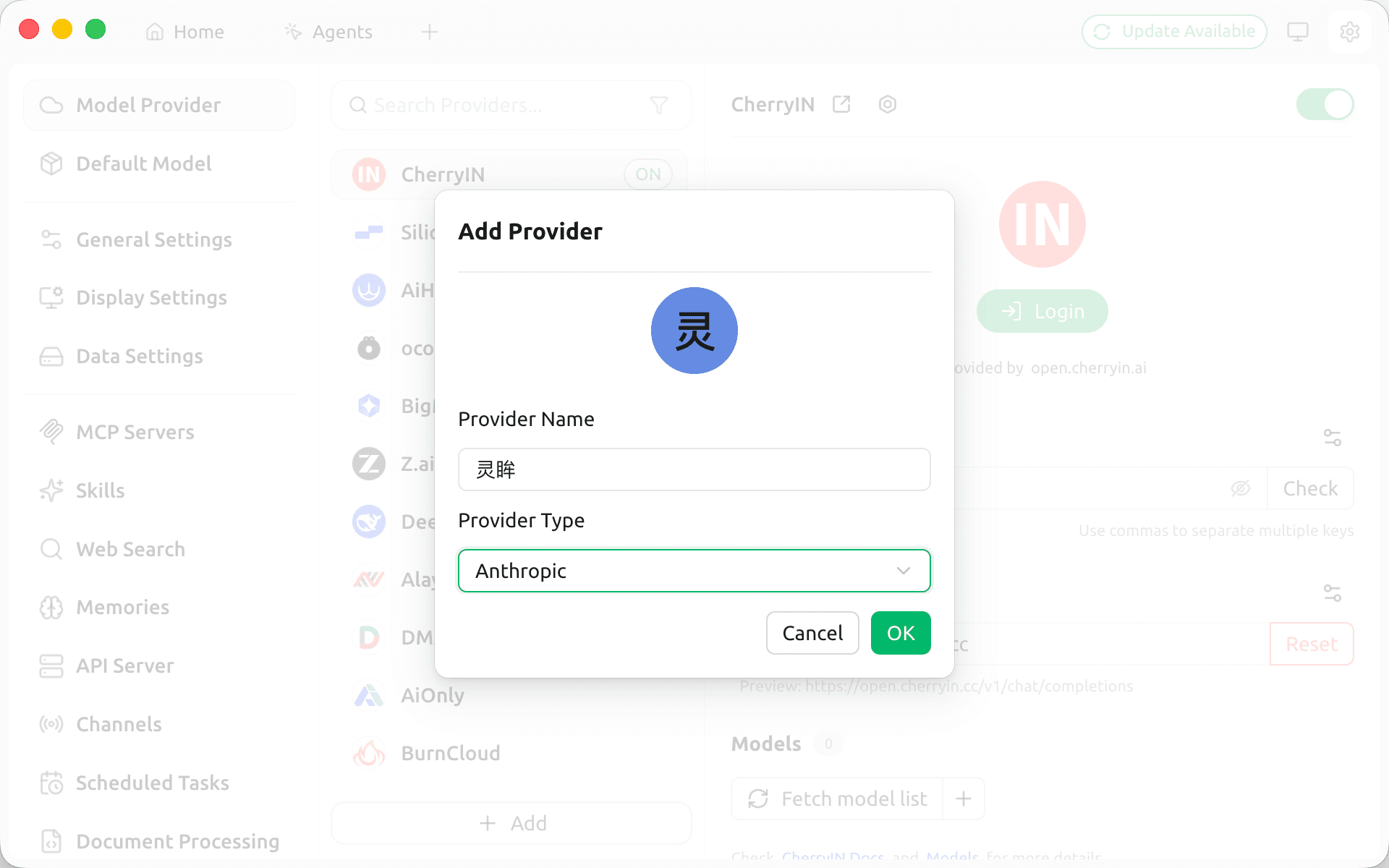
Step 2 — Enter the API details
- API Key: enter the
sk-key generated in the console - API Host: enter the API relay request address
https://api.lmuai.comClick Fetch model list to retrieve the available models; the Claude series and Chinese models load automatically.
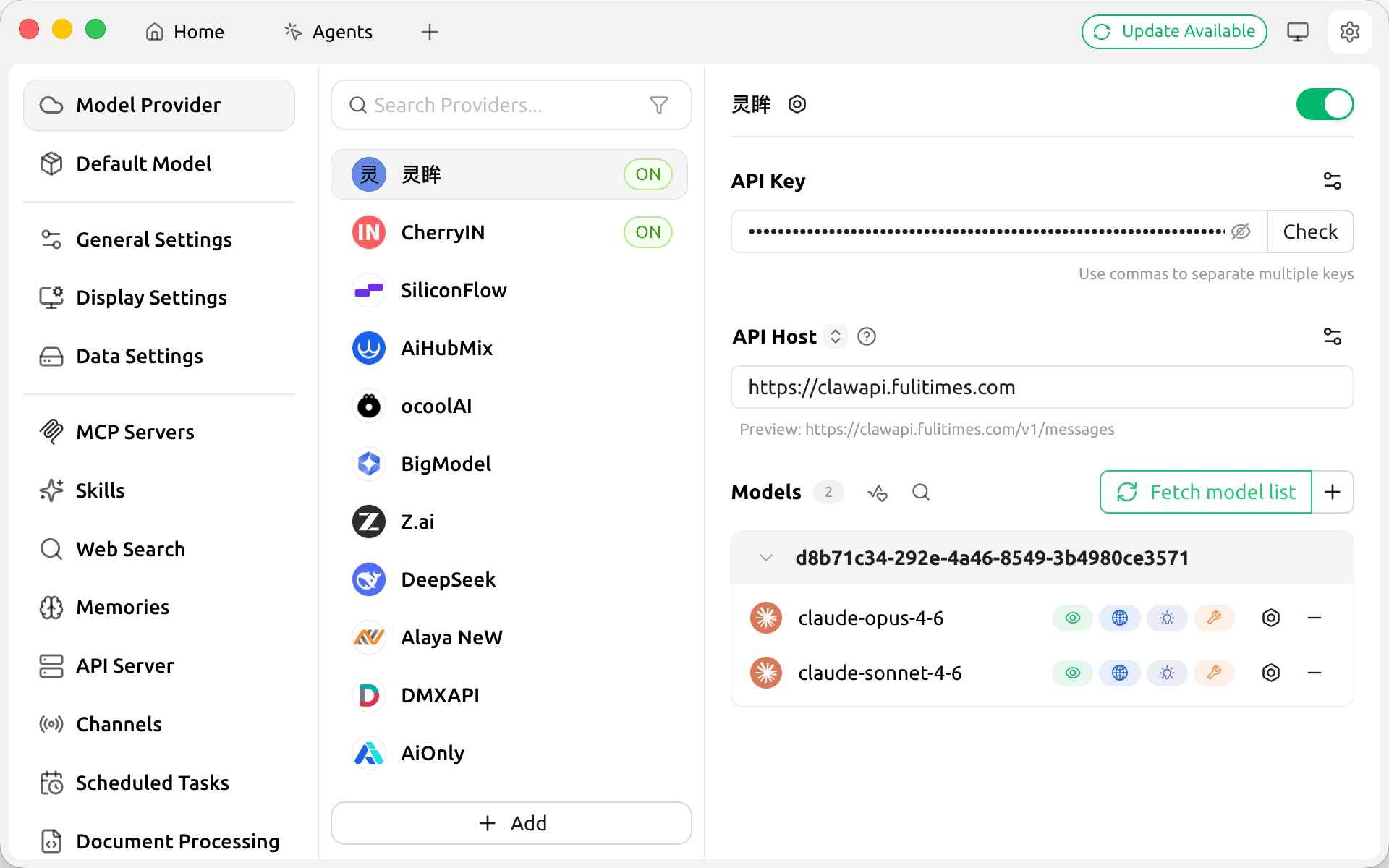
Method 2: OpenAI-Response protocol (OpenAI models)
Step 1 — Add a provider
Go to Cherry Studio Settings → click Add Provider:
- Provider name: anything you like (e.g.
LMU AI) - Provider type: select
OpenAI-Responsefrom the dropdown (the second option, not the first OpenAI)
Step 2 — Enter the API details
- API Key: enter the
sk-key generated in the console - API Host: enter the API relay request address
https://api.lmuai.comClick Fetch model list to retrieve the available models; the GPT series loads automatically.
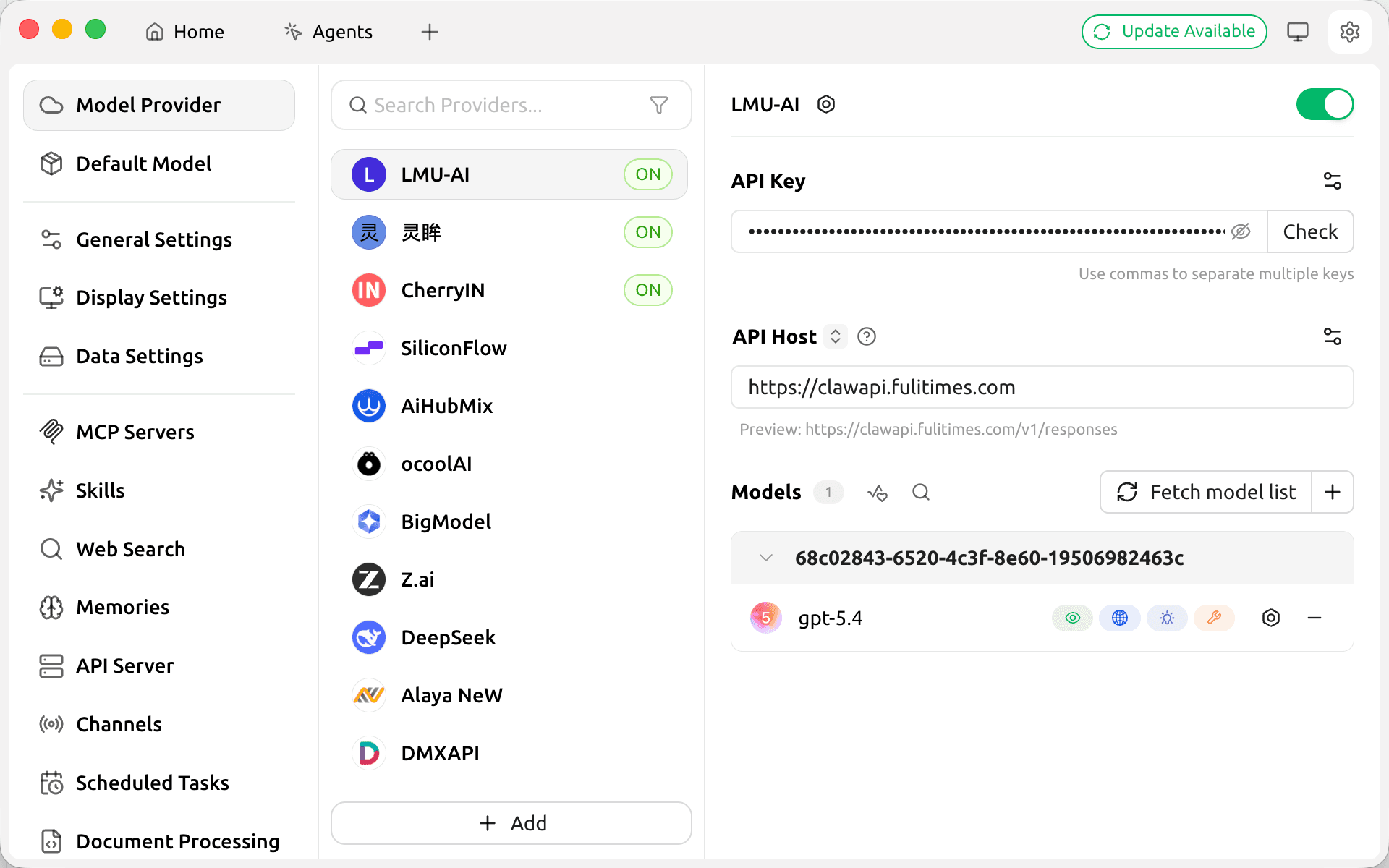
Once configured, you can select and use the model in the chat screen:
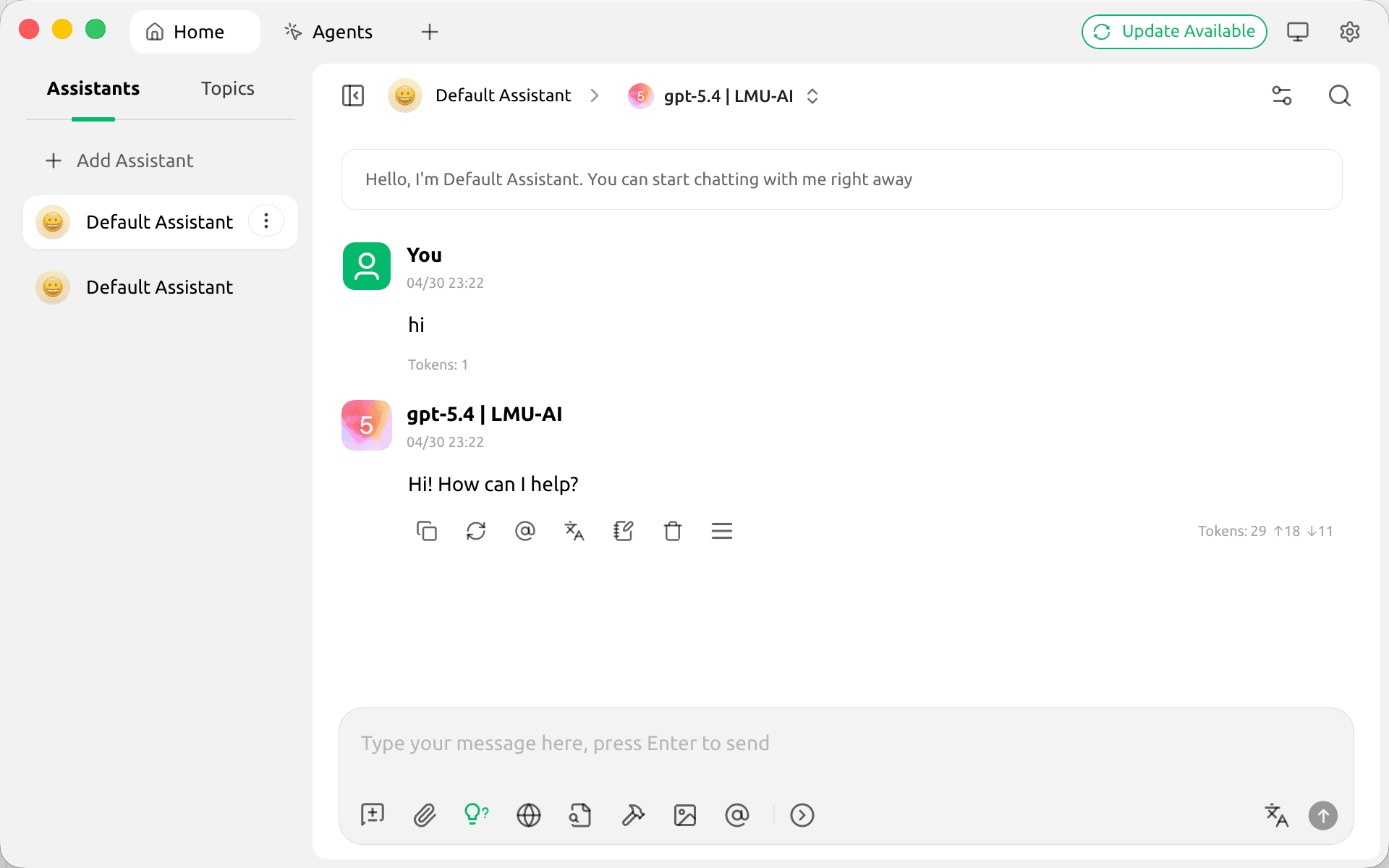
Notes
- The same API Key and API Host work for both protocols; just add two providers as needed
- For the OpenAI-Response type, be sure to pick the second option, not the first OpenAI
- Enter the API relay address as the API address; do not enter the official OpenAI or Anthropic address
Last updated:
Get an LMU AI key and start using Claude, Codex and more
Free sign-up, flexible plans, one key across Claude Code, Codex CLI, Cursor, VS Code, OpenCode, Cherry Studio and other AI tools.
Sign up